
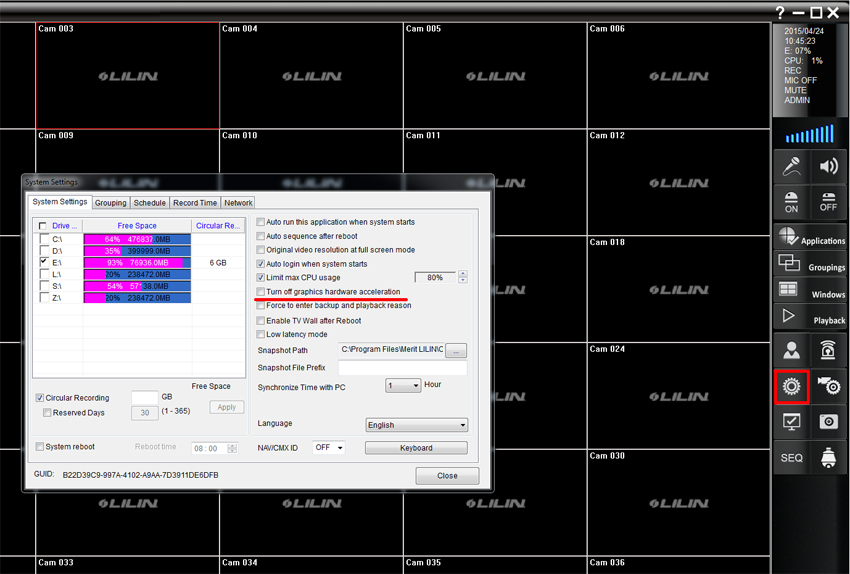
This issue is usually caused by the PC not having a dedicated video card installed. To stop the flashing it is recommended to turn off graphics hardware acceleration within the software’s ‘System Settings’ options.
To do this click the 'Cog' icon in the bar on the right side of the Navigator software's main screen. Once the pop up box opens, tick the 'Turn off graphics hardware acceleration' option.
0 Comments