
If you experience an issue of flashing camera images on the LILINViewer App when using P2P on an Apple device, follow the steps below.
1) Open the LILINViewer App
2) Select 'System' from the bottom menu
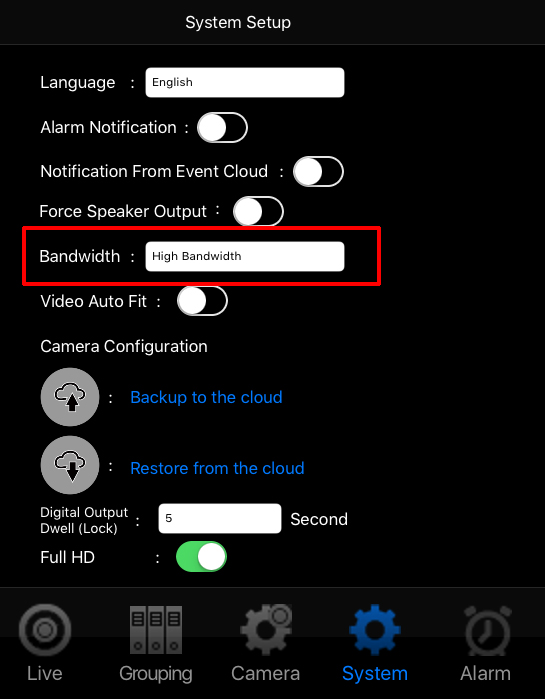
3) Within the system menu you will see an option labelled 'Bandwidth', ensure this is set to 'High Bandwidth'.
This should overcome any camera issues you are experiencing.
0 Comments