
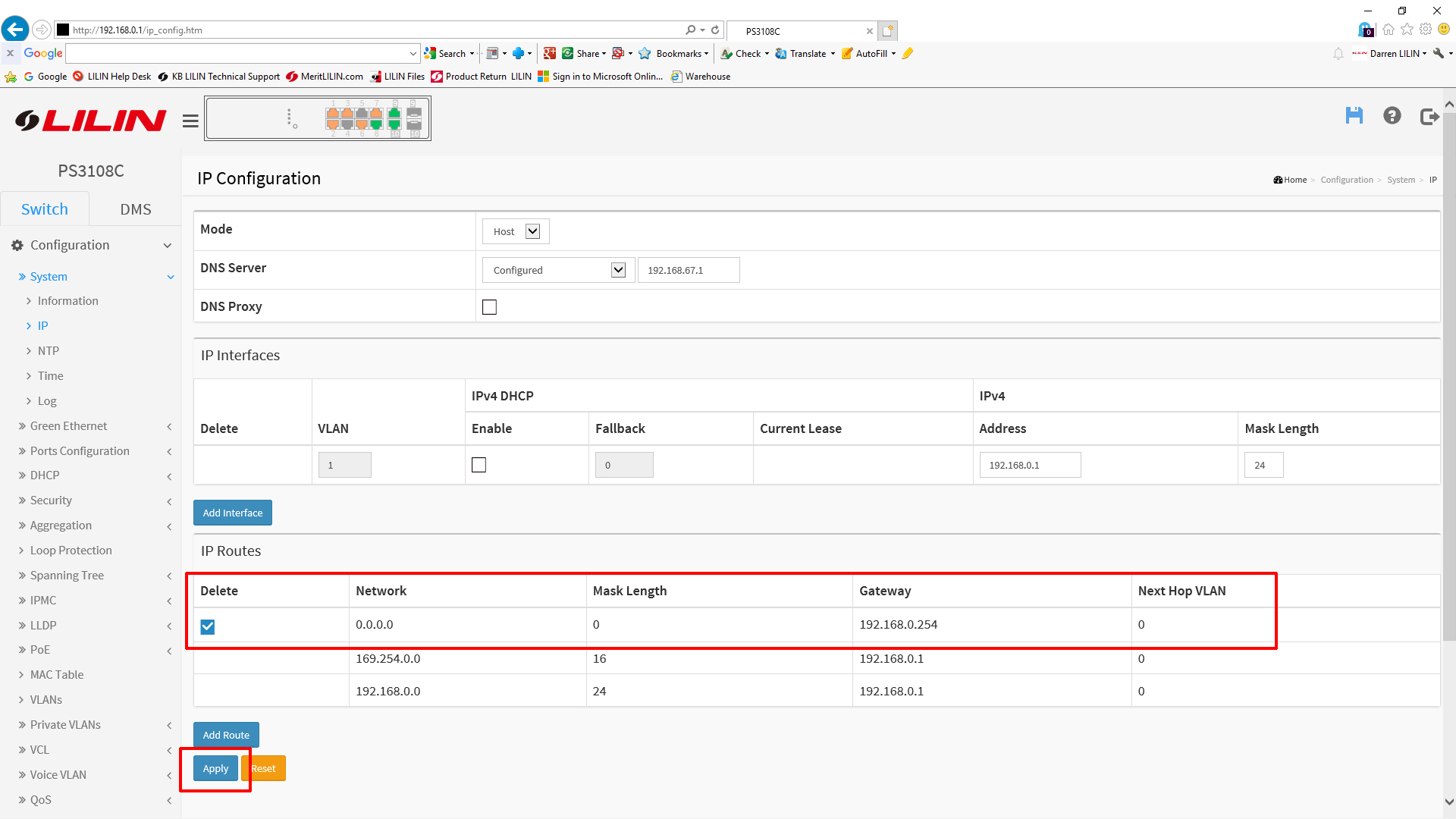
 Connect to your switch using a web browser. Once connected navigate to the following location
Configuration --> System --> IP
DNS Configuration
To set the required DNS server, simply edit the 'DNS Server' section on the IP screen. Below is a working example of a correctly configured DNS setting.
Gateway Configuration
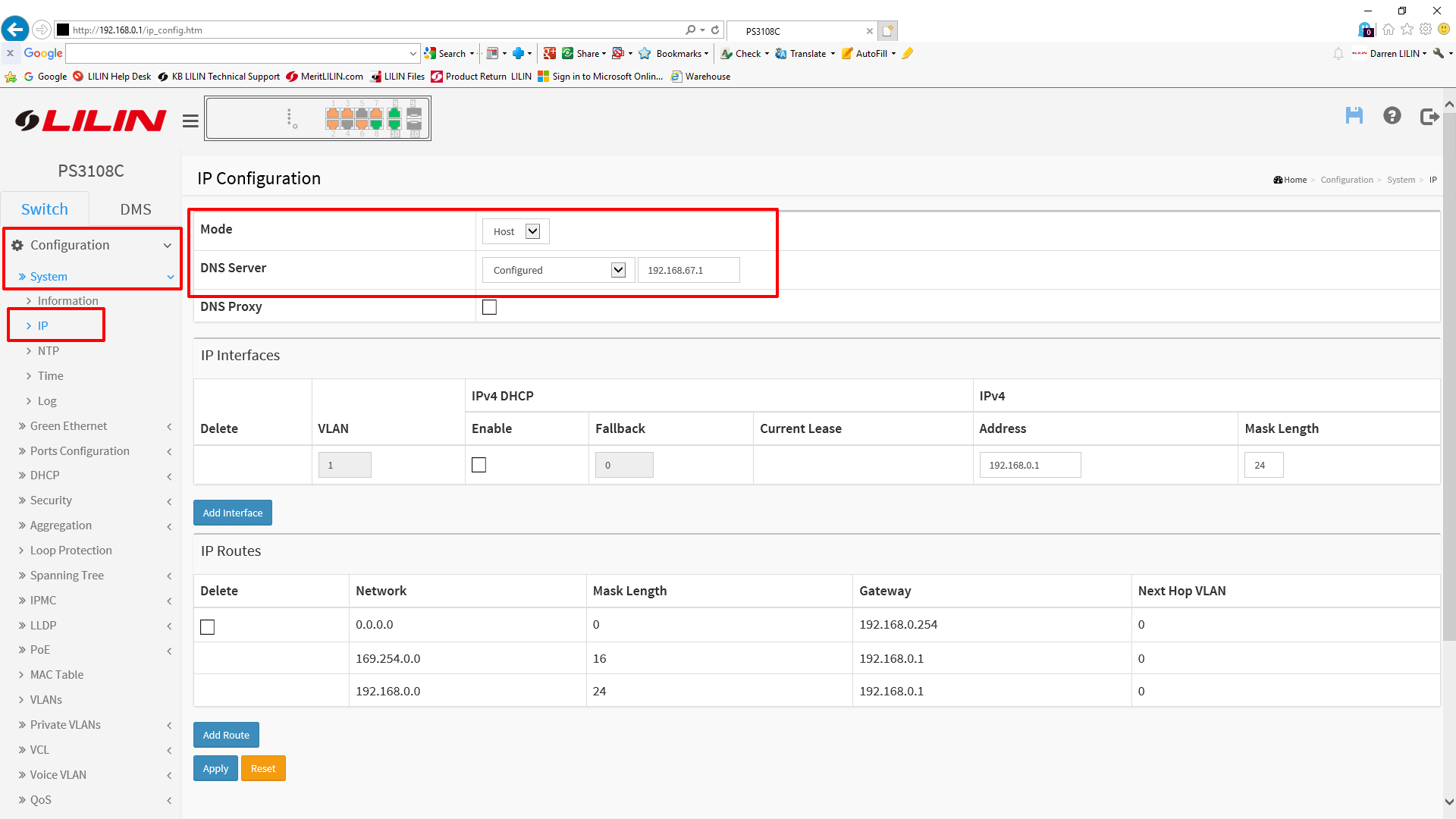
To configure the correct gateway for your switch you will first need to delete an entry from the 'IP Routes' table as shown below.
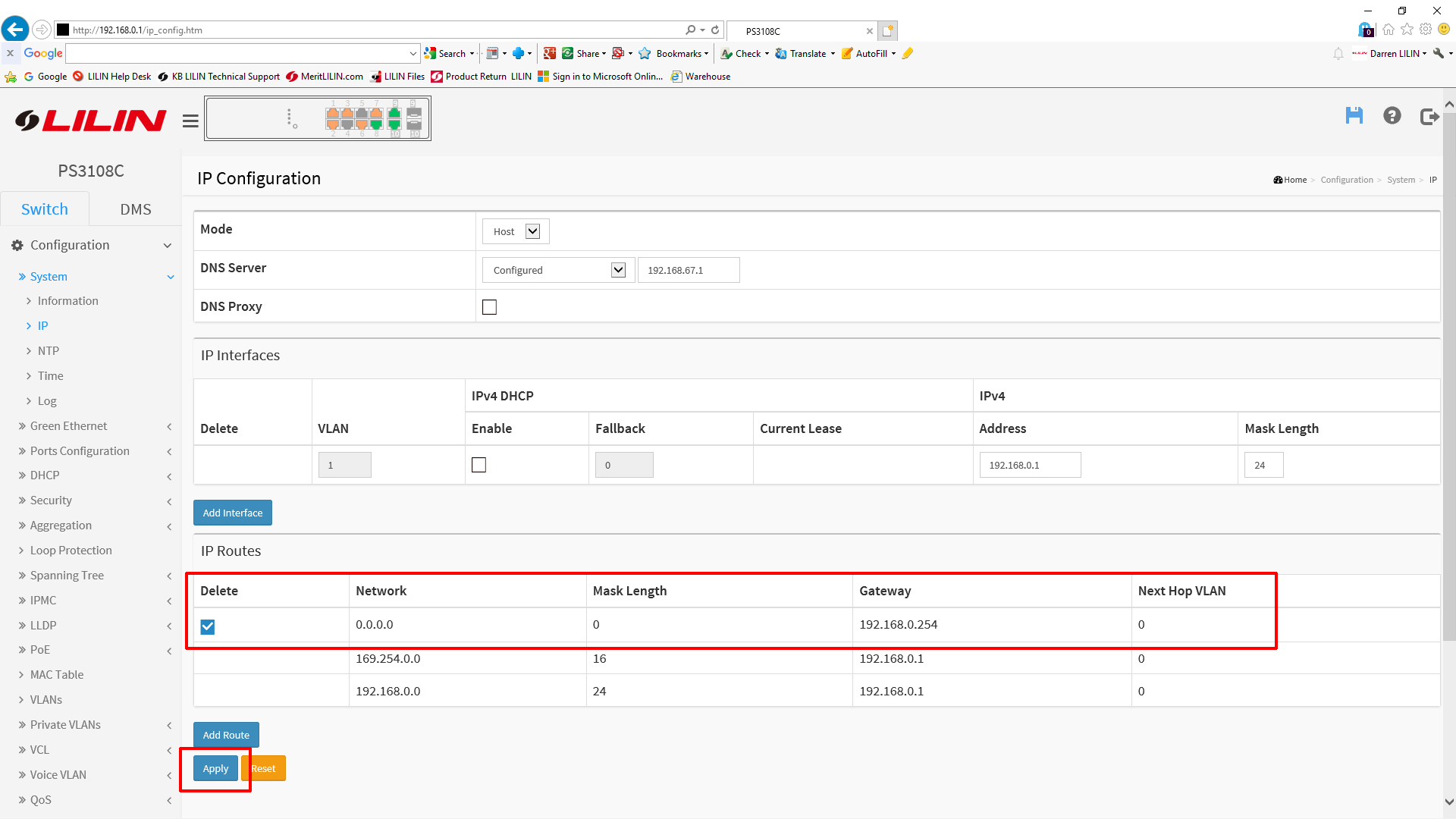
Next you will need to add a new route, to do this click the 'Add Route' button at the bottom of the screen.
Add the following information:
Network - 0.0.0.0
Mask Length - 0
Gateway - The IP address of your correct gateway
Net Hop VLAN - 0

Once the required information has been filled out, press the 'Apply' button at the bottom of the page.
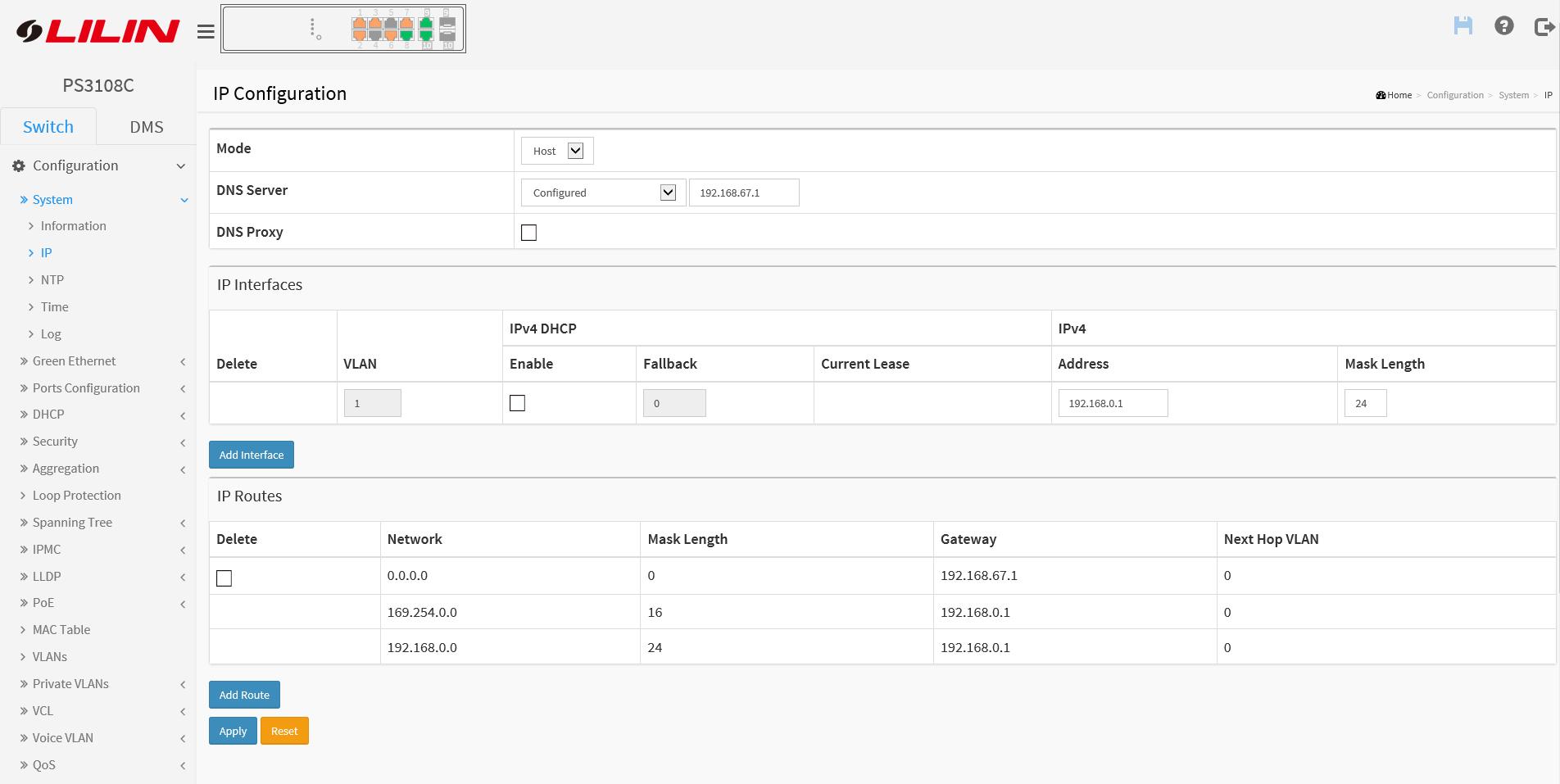
Your IP page should look like below.
***Additional Note***
Once you are happy your configuration is working remember to commit the changes to the 'startup-config' by pressing the 'Disk' icon in the top right hand corner. If you do not do this, you switch will not retain its settings on a power cycle.
0 Comments